 LogSure
Analytics, errors and support for every app you run.
Self-hosted, open source and cookieless, with tracing, A/B tests and feature flags built in.

One console for all of them.
Every app you point at LogSure gets its dashboards, errors, traces and experiments. The inbox and the waitlist cover them all.
-
See what is working.
Visitors, pages, sources, countries, devices and goals. Click any row to filter by it.
Learn more about analytics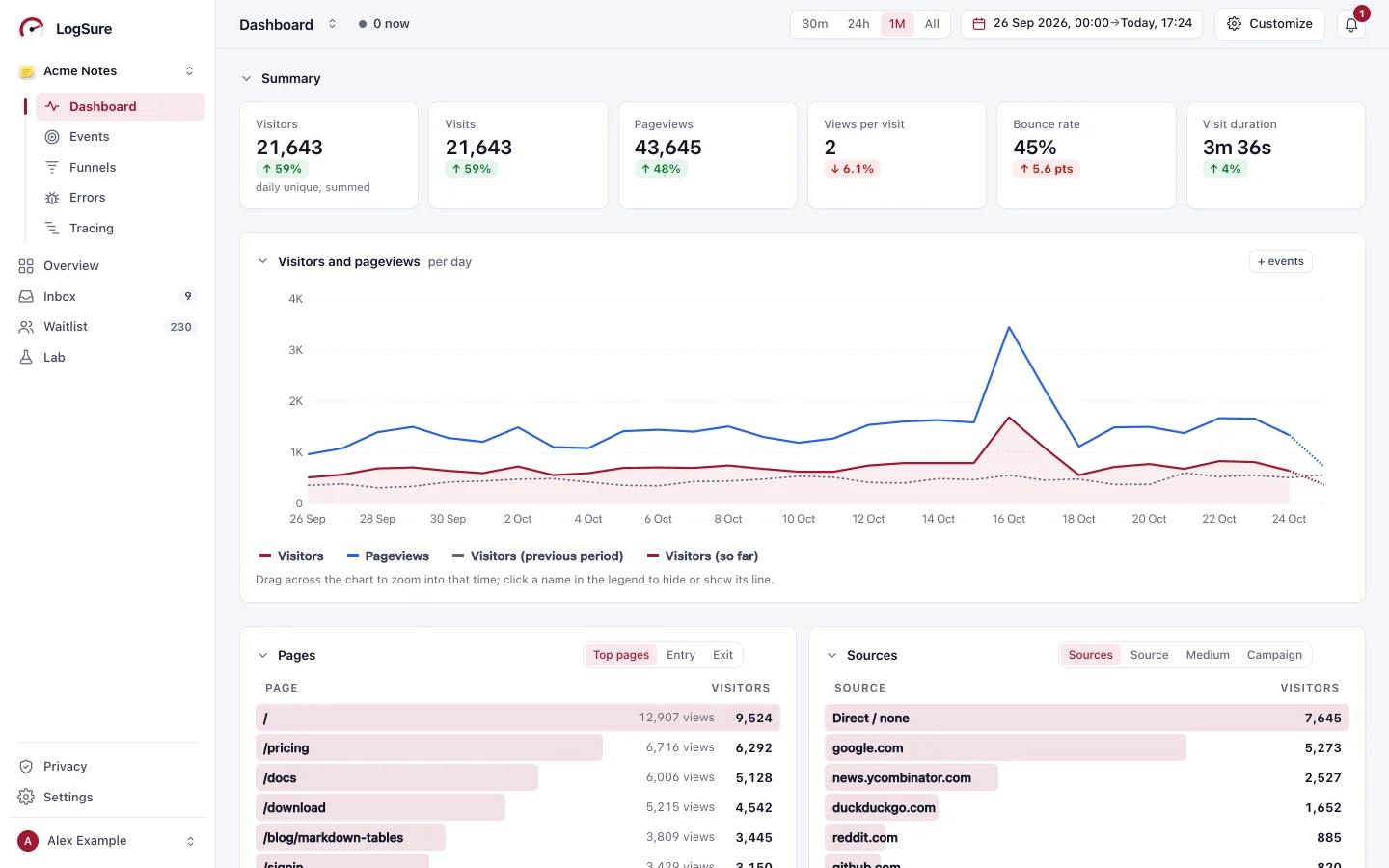
-
Catch every error.
Grouped into issues, scrubbed, with the line of your code it starts in. Resolve it; if it comes back, it opens again.
Learn more about errors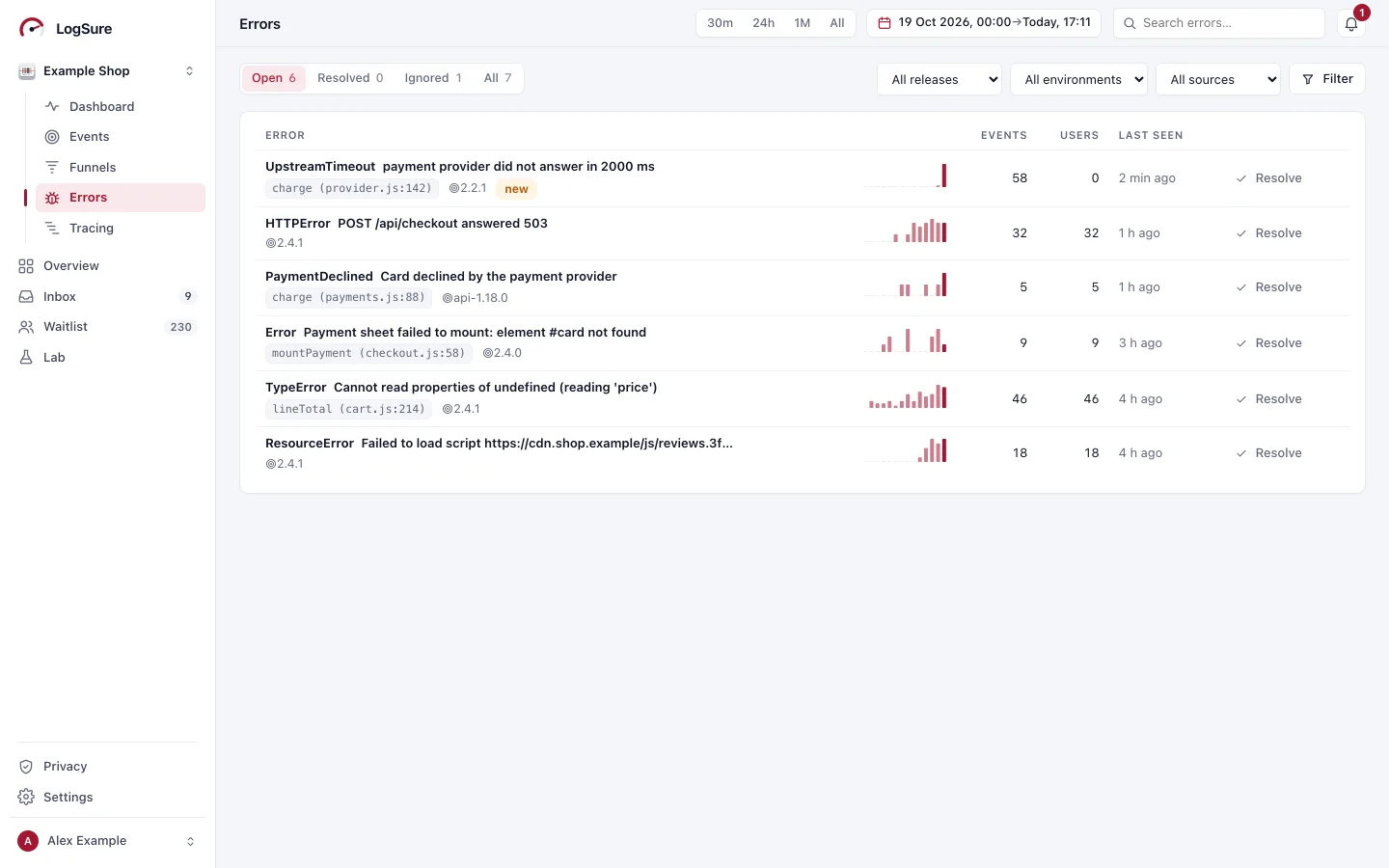
-
Follow the request.
OpenTelemetry traces and logs over OTLP: a waterfall per trace, a live log tail, p95 per service.
Learn more about tracing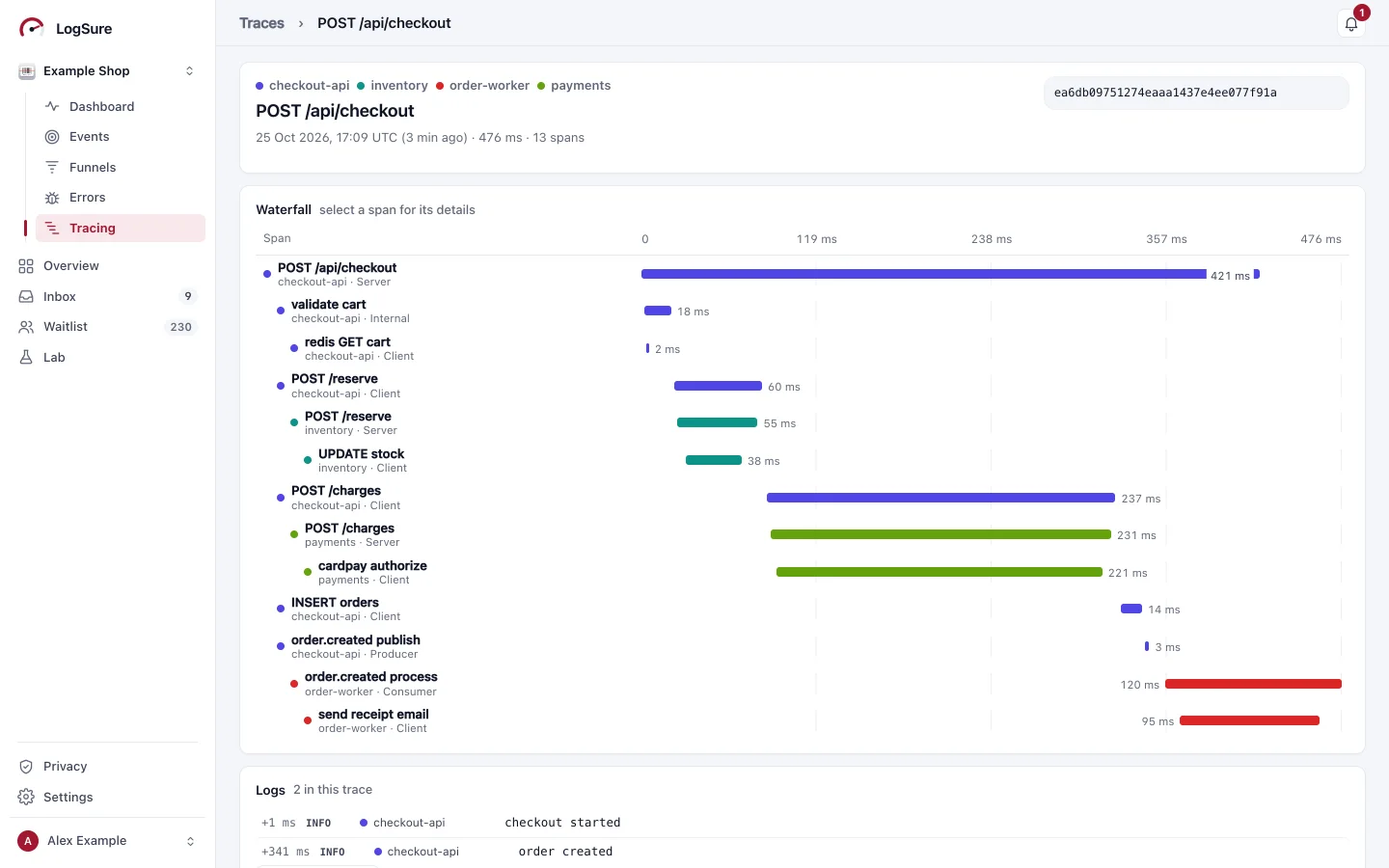
-
Test, then ship.
A/B experiments and feature flags without cookies, with uplift, intervals, rules and a kill switch.
Learn more about the Lab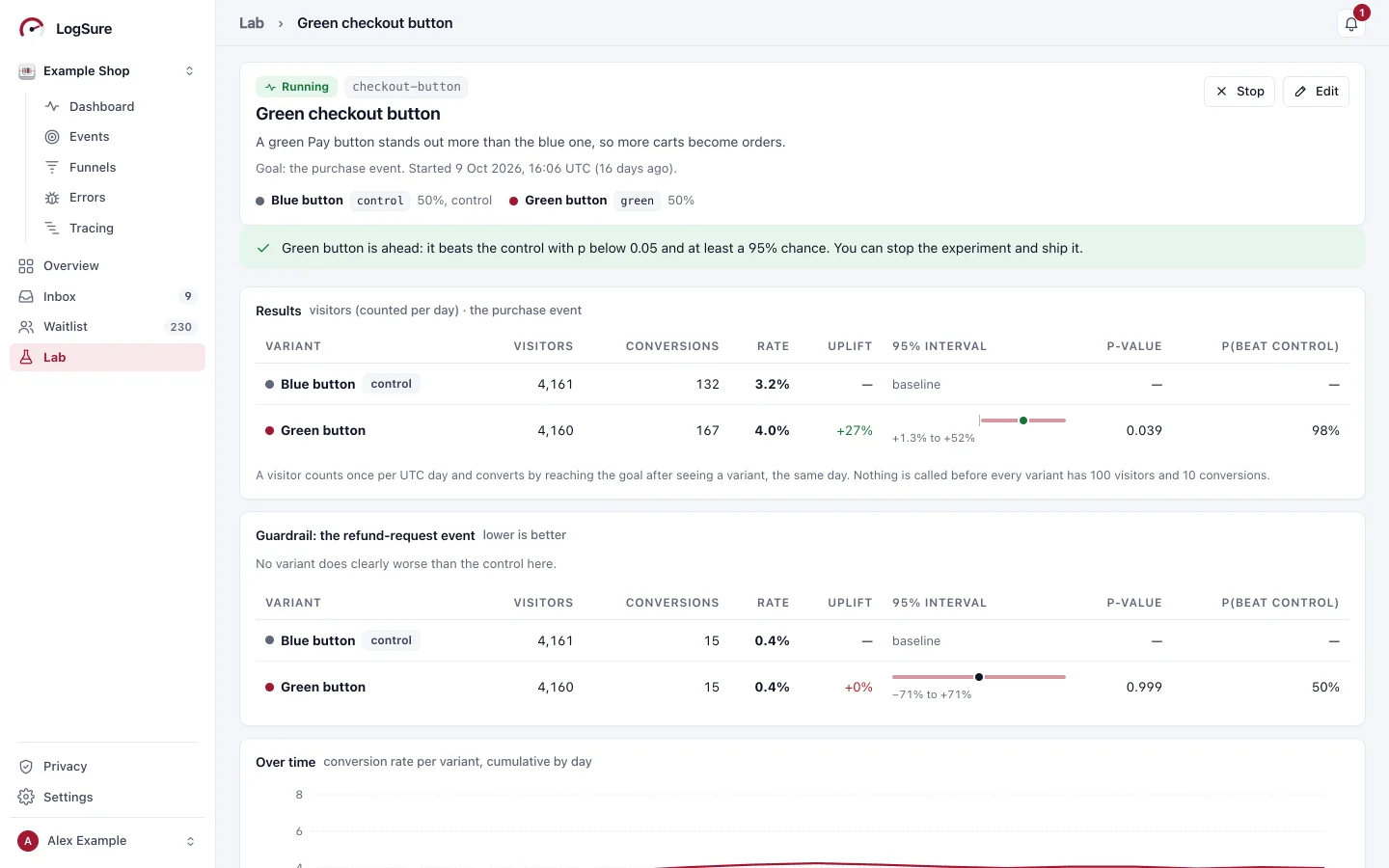
-
Read every bug report in context.
Steps, version, browser, device and page arrive with the report. Reply, note, resolve.
Feedback and bug reports The inbox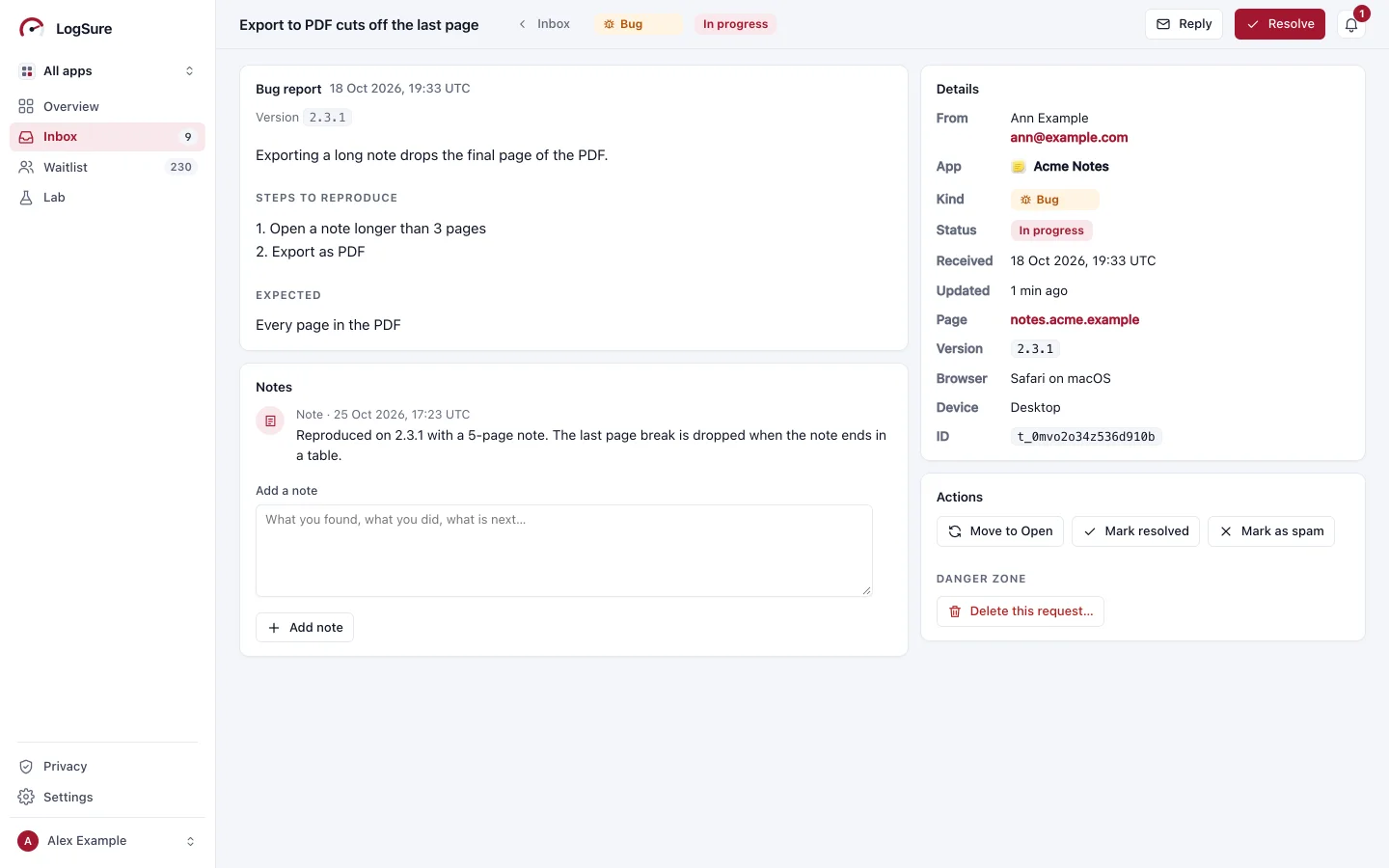
-
Grow a waitlist for each app.
Lists, signups per day, invited and joined. Your form, your list, your data.
Learn more about waitlists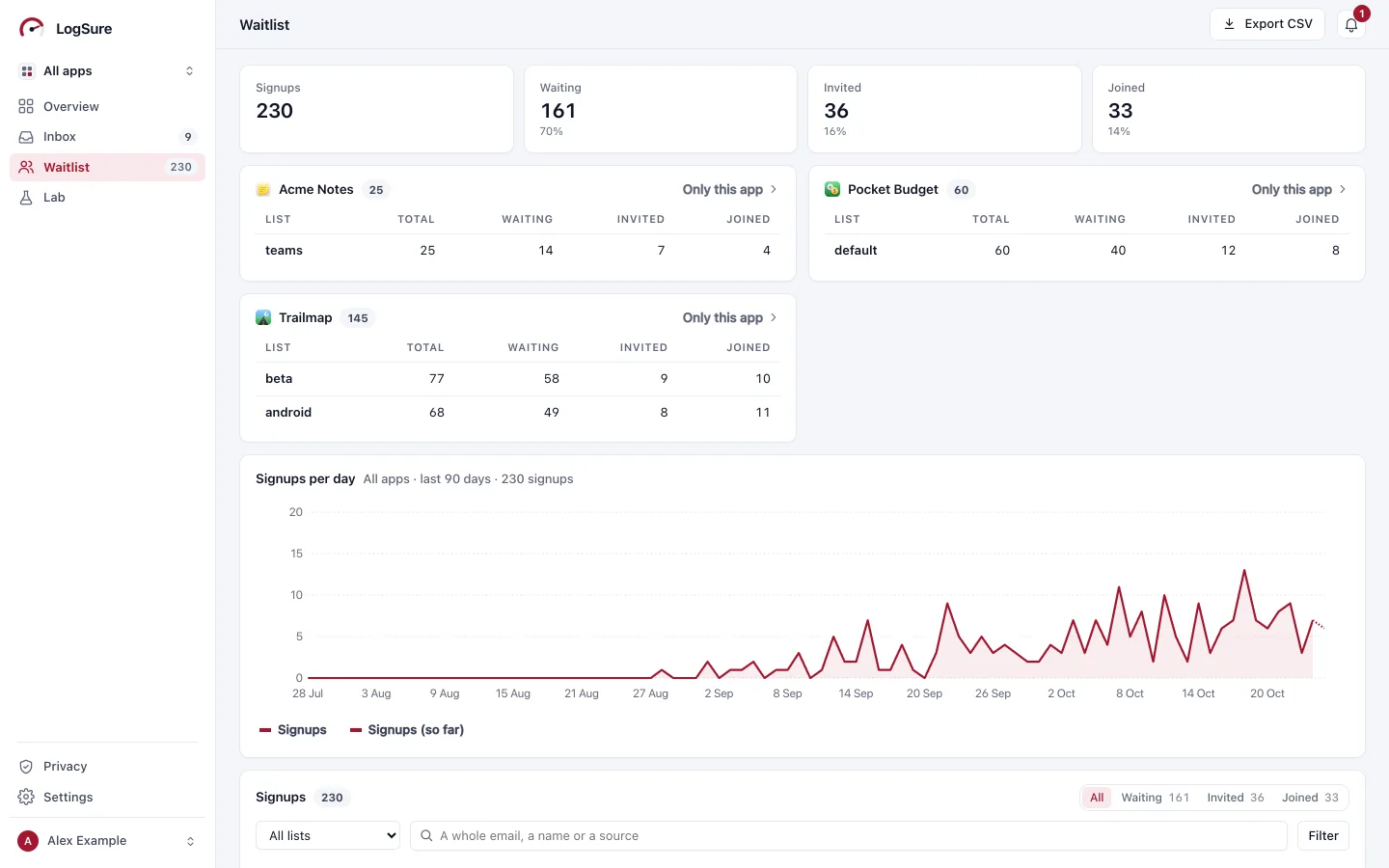


In your pocket. On your desk.
Native apps for iPhone and Mac, built with SwiftUI, with everything the console has: errors, tracing, the Lab and your dashboards. Notifications for new requests and errors.


Or never leave the terminal.
A full-screen console you drive from the keyboard, with one-shot commands and JSON for your scripts.
See it in action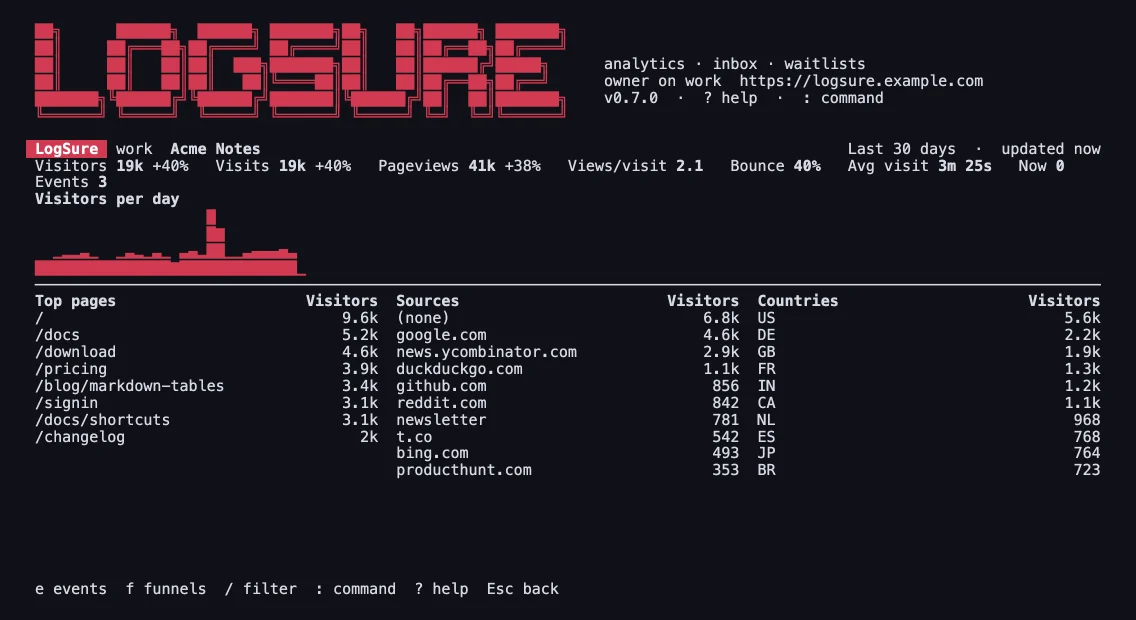
Ask your AI why.
A built-in MCP server with more than 50 tools, for Claude, ChatGPT and others. You choose what each one may see and change.
Learn more about AI and MCPHacker News. Acme Notes had 2,797 visitors on October 16 and 17, about 1.8 times the 1,581 of the two days before.
1,572 of them came from news.ycombinator.com, 56% of all visitors. Bounce rate was 43%, against 45% before.
Numbers from the sample server's MCP tools.
Bring the team.
Invite people as admins, members or viewers, limit each to the apps they work on, and see who changed what in the audit log. Sign in with a passkey.
Teams and sign-in
Counts visits, not people.
No cookies, no IP addresses kept, and the salt behind each daily visitor code is deleted after a day.
How privacy worksOne binary. Runs anywhere.
The Rust engine and the web console in one container. SQLite out of the box, with Postgres and MySQL on the way.
Try it in a minute
PASSWORD=$(uuidgen); echo "Password: $PASSWORD"
docker run -d --name logsure -p 8080:8080 -e ADMIN_PASSWORD=$PASSWORD \
-e CONSOLE_HOST=localhost:8080 -e COOKIE_SECURE=0 ghcr.io/logsure/serverOpen http://localhost:8080 and sign in with any username and the password it printed. Its data goes when the container does.
Keep it running
export ADMIN_PASSWORD=$(uuidgen) DATA_KEY=$(openssl rand -hex 32)
echo "ADMIN_PASSWORD=$ADMIN_PASSWORD DATA_KEY=$DATA_KEY"   # keep both
docker run -d --name logsure --restart unless-stopped -p 8080:8080 -v logsure-data:/data \
  -e ADMIN_PASSWORD -e DATA_KEY -e CONSOLE_HOST=localhost:8080 \
-e COOKIE_SECURE=0 -e TRUST_PROXY=0 ghcr.io/logsure/server:latestData in the logsure-data volume, email addresses sealed with DATA_KEY, restarts with Docker. Replace a quick-start container first with docker rm -f logsure. On a domain with HTTPS: Getting started.
Free and open source.
LogSure on one server, every feature included, is open source under the Mozilla Public License 2.0.